Renew NBI Clearance in eGov PH Online 2026
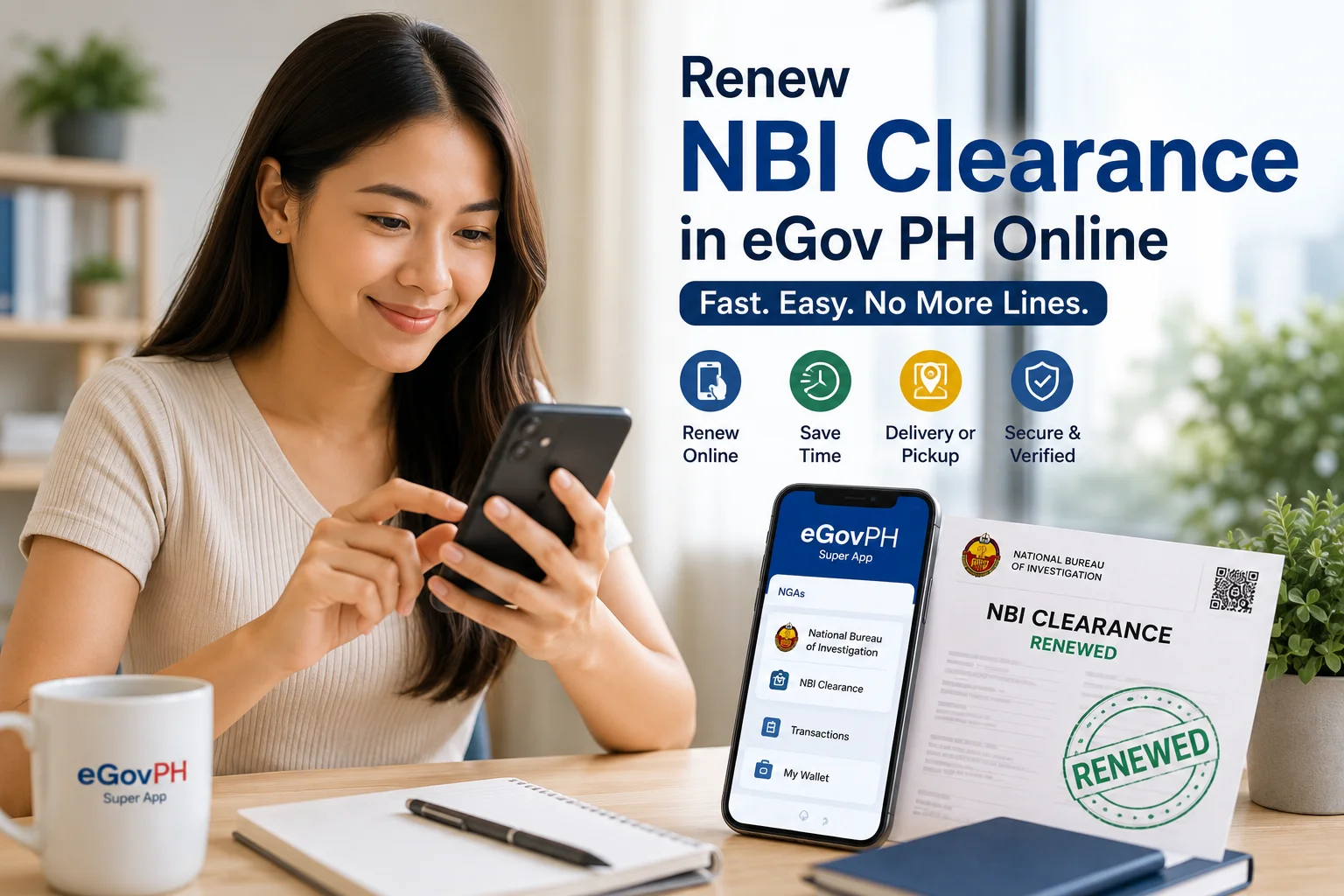
As of July 2026, Filipinos can now Renew NBI Clearance in eGov PH online without setting foot inside a branch. The government’s mobile application to access the local and national services. Whether you’re an OFW preparing travel documents, a jobseeker with a deadline, or simply someone who’d rather not spend a Monday morning in a queue, this update is worth understanding in detail.
In this guide, you’ll learn what the eGovPH app actually is, how the NBI clearance renewal in eGov works from start to finish, what it costs, who’s eligible, and the practical limitations you should know about before relying on it for something urgent like a visa application or job requirement.
What Is eGov PH?
Officially the eGovPH Super App is the Philippine government’s all-in-one digital platform designed to bring multiple public services under a single mobile app. Instead of visting separate portals and websites for different agencies, residents can access services from various National Government Agencies (NGAs) directly from their phones.
Some of the services accessible through the app include national ID verification, various NGA linked transactions, and as of this year NBI Clearance renewal in eGOV Ph.
NBI Clearance In eGov
NBI Clearance service, a joint initiative between the National Bureau of Investigation (NBI) and the Department of Information and Communications Technology (DICT). It was formally launched on July 6, 2026, at the NBI Headquarters in Pasay City, with the goal of making one of the most commonly requested government documents easier to renew.
The service is only to renew NBI clearnace online in eGOV, not new applications. If you’ve never had an NBI clearance before, you’ll still need to go through the standard process, registering online, booking an appointment, visiting a branch, and completing biometrics in person.
If you already have an existing NBI clearance on record, though, the eGovPH app now lets you:
- Renew NBI clearance online.
- View a verified digital copy of your current or renewed clearance.
- Retrieve your most recently issued clearance without visiting a branch.
- Get you the copy of expired clearnace certificate.
Who Can Use This Service?
To use the renewal feature, you’ll need:
- An existing, previously issued NBI clearance on file
- A verified eGovPH account
- Accurate personal details matching your NBI records (place of birth, full name, etc.)
If any part of your verification doesn’t match NBI’s records, or if your renewal application flags for additional review (sometimes called a “hit”), you may still be asked to visit a branch in person or submit biometrics, so it’s worth keeping that possibility in mind, especially if you’re on a tight deadline.
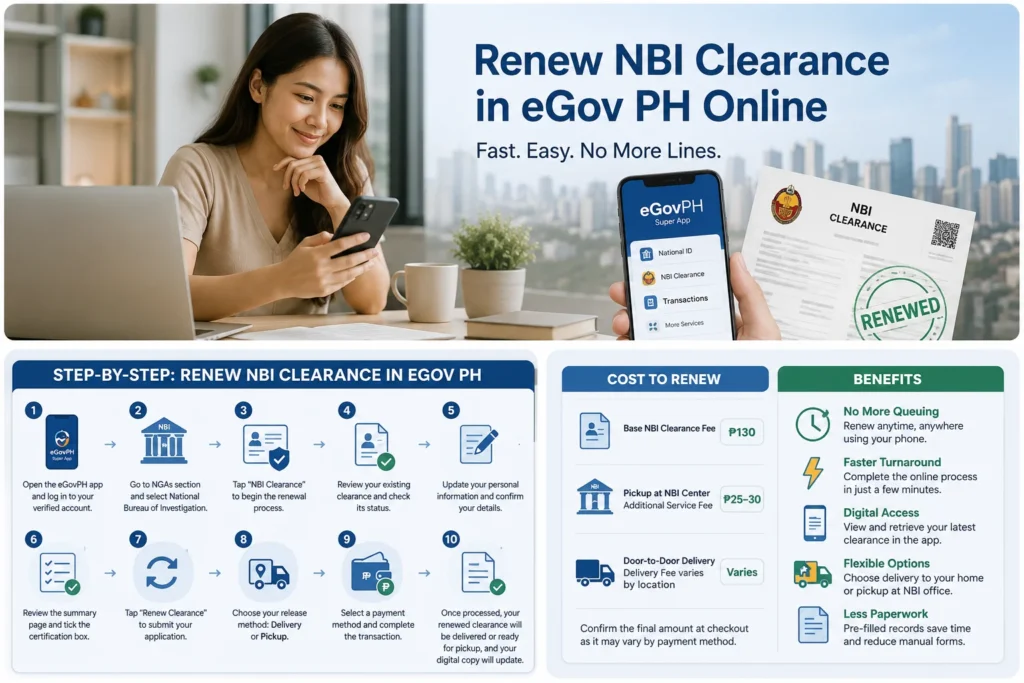
Step-by-Step Process To Renew NBI Clearance in eGov PH Online
Here’s exactly how to renew NBI Clearance in eGov app:
- Open the eGovPH app and log in to your verified account. If you don’t have an accout you can sign up. Get eGov App.
- Go to the NGAs section and select National Bureau of Investigation (NBI).
- Tap “NBI Clearance” to begin the renewal process.
- Review your existing clearance. The app will display your current record and indicate whether it has already expired.
- Update your personal information. Confirm or correct details such as your place of birth and other identifying information.
- Review the summary page. Check that everything is accurate, then tick the certification box confirming your details are correct.
- Tap “Renew Clearance” to submit your application.
- Choose your release method:
- Door-to-door delivery, your renewed clearance is mailed to your registered address
- Pickup, you claim the physical copy at your selected NBI office
- Provide your delivery address if you selected home delivery.
- Select a payment method and complete the transaction.
Once payment is confirmed and NBI finishes processing your application, your renewed clearance will either be shipped to you or made available for pickup, and your digital copy inside the app will update automatically.
A Quick Tip Before You Submit
Double-check every field before confirming your renewal. Typos or outdated information, especially your place of birth or name spelling, can delay processing significantly. It’s a small step that saves a lot of back-and-forth later.
Cost to Renew NBI Clearance in eGov PH
Pricing can vary slightly depending on your chosen release method and payment channel, but generally:
- Base NBI Clearance fee: P130
- Pickup at an NBI Clearance Center: additional P25-30 service fee
- Door-to-door delivery: additional delivery fee, which varies by location
Since exact charges can shift depending on your payment method, it’s best to confirm the final amount displayed at checkout inside the app before completing your transaction.
Benefits to Renew NBI clearance In eGov
Why does this update matter? A few practical reasons stand out:
- No more queuing. You can start and finish the entire renewal process from your phone, at any hour.
- Faster turnaround. Many users report completing the online portion of the renewal in just a few minutes, compared to a half-day (or longer) branch visit.
- Digital record access. You can view and retrieve your latest issued clearance directly in the app — handy for last-minute submissions.
- Flexible delivery options. Choose between having your clearance delivered to your doorstep or picking it up yourself.
- Reduced paperwork. Much of the manual form-filling is replaced by pre-filled digital records the app pulls from your existing NBI file.
For overseas Filipino workers, in particular, this kind of remote access can be genuinely useful when a family member or representative can otherwise handle physical steps on their behalf.
Important Limitations to Keep in Mind
As helpful as this update is, it’s not a complete replacement for the traditional process just yet:
- Renewals only. First-time applicants still need to complete the full in-person process.
- Digital copies may not be accepted. Some employers, agencies, or offices may still require a printed, physical NBI clearance for official submissions — so don’t rely solely on the digital version for high-stakes requirements like job applications or visa processing.
- The service is still relatively new. If your renewal is flagged for additional verification or biometrics, you may need to visit a branch anyway.
- Verification depends on matching records. If your personal details don’t align with what NBI already has on file, expect delays.
Our advice: use the eGovPH renewal for convenience, but keep a printed copy of your NBI clearance on hand, especially if you’re submitting it for anything time-sensitive.
Frequently Asked Questions
Final Thoughts
Renew NBI clearance online in eGov is a meaningful step toward faster, more convenient government transactions, especially for the millions of Filipinos who renew this document every year for work, travel, or compliance purposes. While it’s not yet a full replacement for the traditional process, it’s a strong option if you already have an NBI clearance on record and simply need to renew it without the hassle of a branch visit.
If you’re due for a renewal, download the eGovPH app, verify your account, and give the process a try, you may find it’s the fastest NBI transaction you’ve ever completed.